

首先,官网下载好原文件,然后打开MT4/5的电脑端的文件--点击打开数据文件夹中心,查看你的文件夹中在磁盘的位置。
第一种是把下载的安装包Trading Central放在MQL4/5文件夹里面,双击会自动安装释放指标文件,快捷省事;
第二种是下载的安装包Trading Central放在桌面,双击出现安装的界面,需要浏览选择文件夹进行释放安装
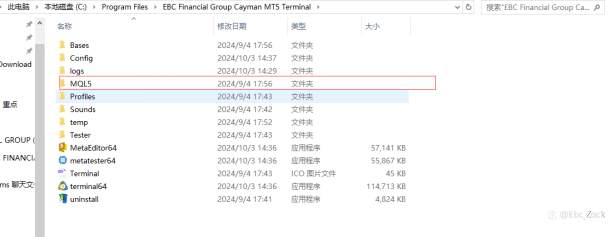
我的文件位置是如图这个,接下来选择文件夹,不要选择放EA的Experts文件夹和指标的Indicators文件夹,直接选择MQL4/5即可。
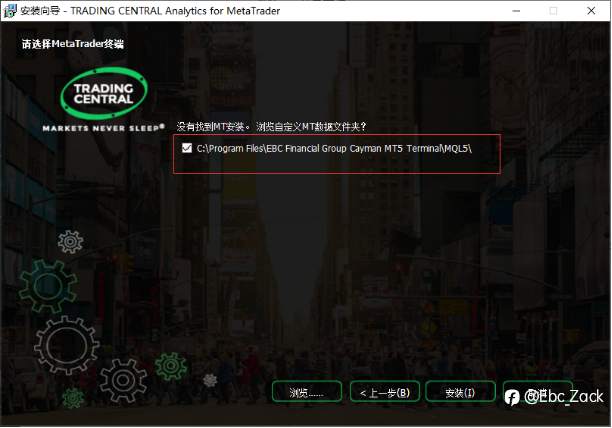
安装指标浏览的文件我的MT5选择的是MQL5
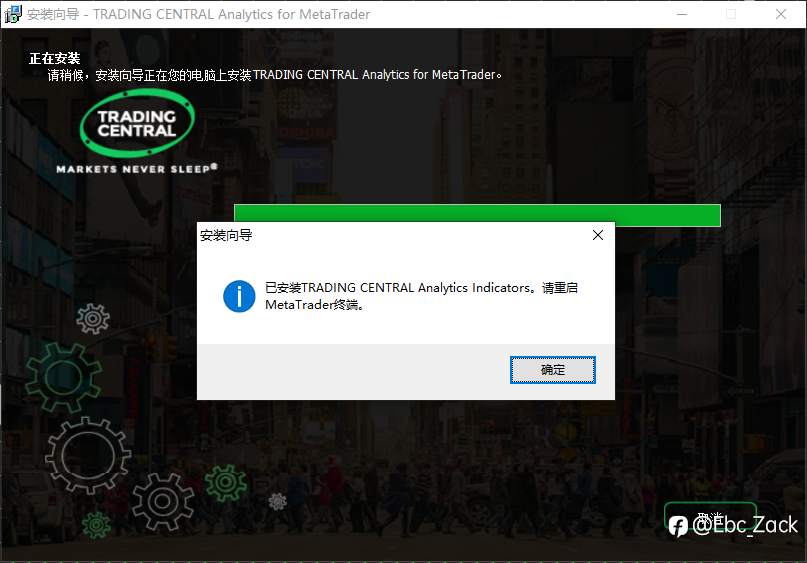
显示这个就说明安装好了,bingo!
然后退出MT4/5再重新打开程序,导航界面能看到tradingcentral的一系列指标。
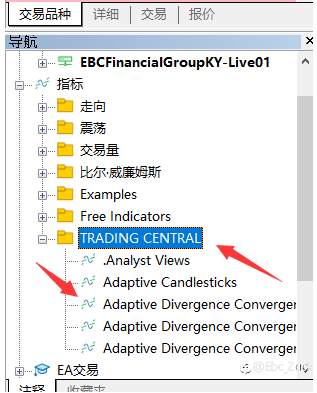
我习惯用Analyst Views这个功能,能给到建议点位以及更新的具体时间。
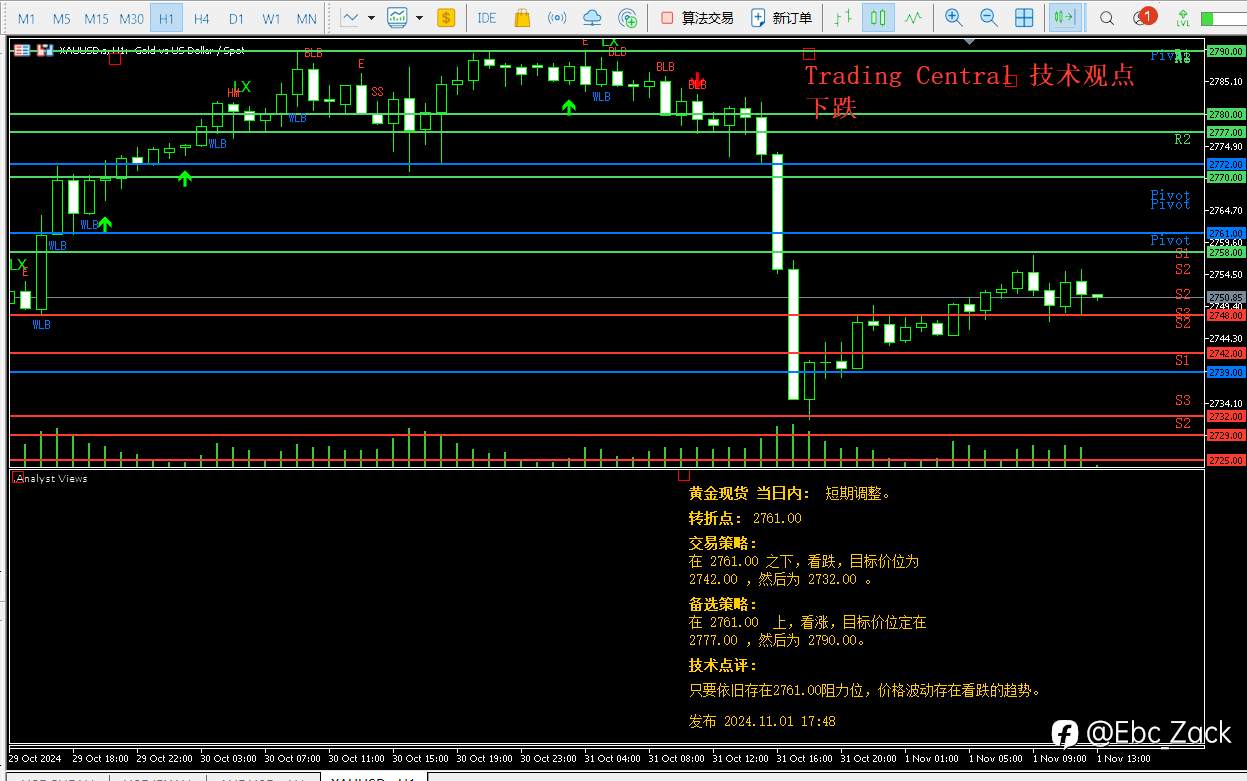
行情建议终归是建议,帮到你对点位判断的一个大略方向,外汇保证金交易具有很大的不确定风险,还请谨慎操作。
对了,只有EBC的电脑端能识别使用这个指标。EBC唯有时间让你更了解我。
Disclaimer: The views expressed are solely those of the author and do not represent the official position of Followme. Followme does not take responsibility for the accuracy, completeness, or reliability of the information provided and is not liable for any actions taken based on the content, unless explicitly stated in writing.


Leave Your Message Now